
Ask Taizen
The chat surface — asking questions across your calls, deals and documents, with citations.
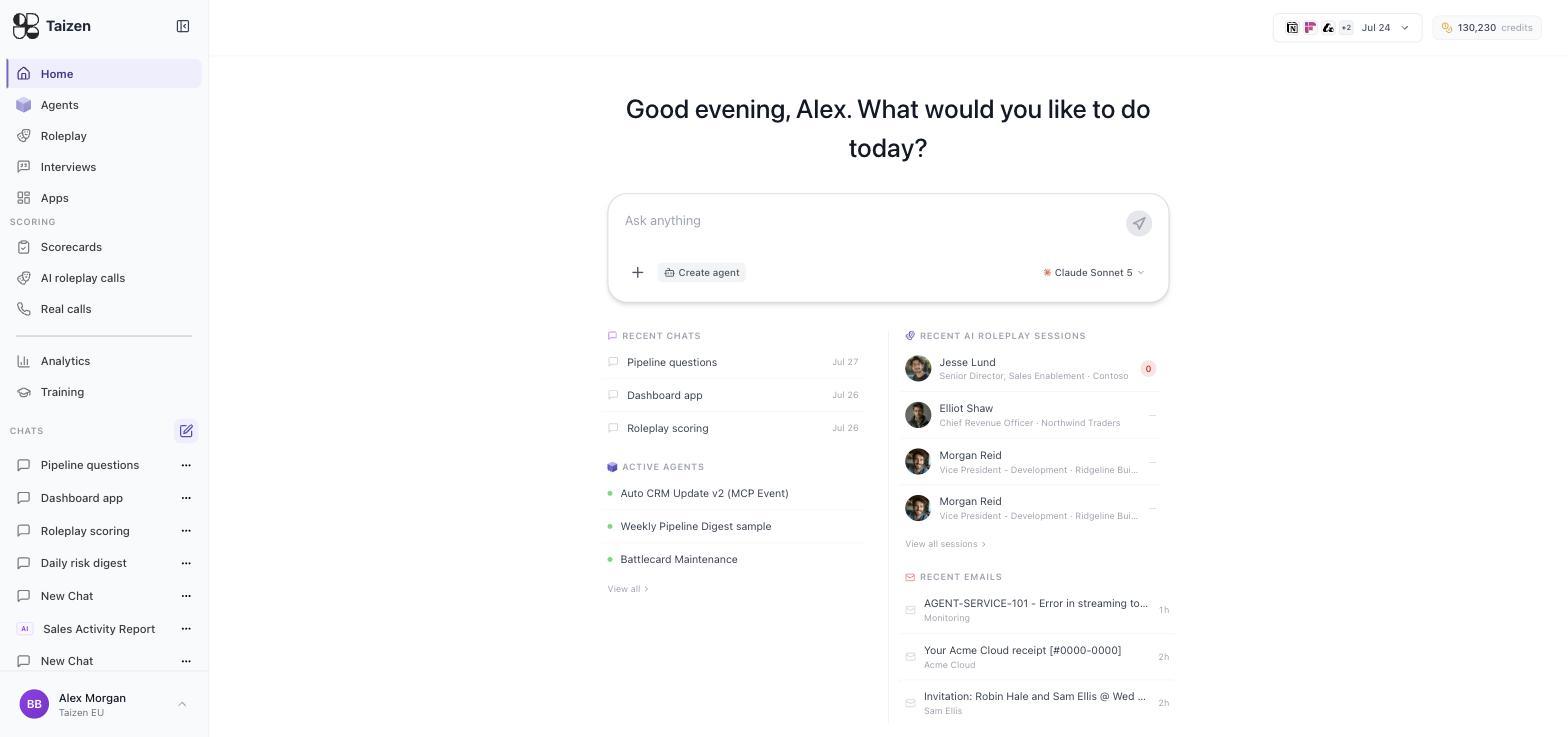
Home is a chat. It's the one place in Taizen where you ask rather than configure, and it reads the same data your agents do: your calls and transcripts, your CRM records, your documents, and your past buyer interviews.
What it's good at
Questions that would otherwise mean opening six tabs:
What did buyers say about our pricing in the last quarter?
Summarize every call with Acme and tell me who the real decision maker is.
Which open deals mentioned a competitor by name on the last call?
Find quotes about onboarding pain from calls with mid-market accounts.
What changed in the Notion deal since the last call?
It's also where you build things conversationally: agents, training plans, scorecards and Live Apps all have builders that are chats, reachable from their own screens.
Citations and evidence
Answers cite what they're built from — the call, the document, the interview. Follow the citation before you act on the answer, particularly for anything you're about to repeat to a customer or put in a board deck.
This is the same principle the scoring engine uses: an assertion with a source you can check beats a confident number you can't. See how scoring works.
Attachments
Attach a document to a conversation to ground it — a deck, a spreadsheet, a PDF, a transcript. The chat reads it for that conversation. Attach the same document to a document store instead when you want every product to use it.
Conversations and projects
The left sidebar keeps your conversations. They persist, so you can come back to a thread days later and it still holds context. Rename them — twelve threads called "New Chat" is a filing system that has already failed.
Projects scope a set of conversations to a body of work, and agents run within a project's context.
Models
You choose the model per conversation from the picker under the input box, grouped by provider. Taizen runs on frontier models from several providers rather than one.
Rules of thumb:
- Reasoning-heavy work — synthesis across many calls, competitive analysis, anything where being wrong is expensive: use a frontier model.
- High-volume mechanical work — summarizing, extracting fields, classifying: a faster model is cheaper and the quality difference doesn't show.
- The same choice exists for agents, in the workflow card of the agent spec.
Home screen
Alongside the input box, Home shows what's happening in your workspace: recent chats, active agents, recent AI roleplay sessions with their scores, and recent emails. It's the fastest way to notice that an agent's last run failed or that a rep's roleplay scored zero.
From a chat to something permanent
Two paths worth knowing:
- Turn an answer into an agent. If you find yourself asking the same question every Monday, that's a scheduled agent (build an agent).
- Turn an answer into a Live App. If the answer is a dashboard people will want repeatedly, publish it (Apps).
Reaching the same thing from your editor
The chat is also available over MCP, so you can query your Taizen workspace from Claude Code, Claude Desktop or Cursor without leaving them. See the MCP server.