
Gong
Connect Gong to Taizen to import calls and transcripts
Connect Gong to Taizen to import your calls and transcripts.
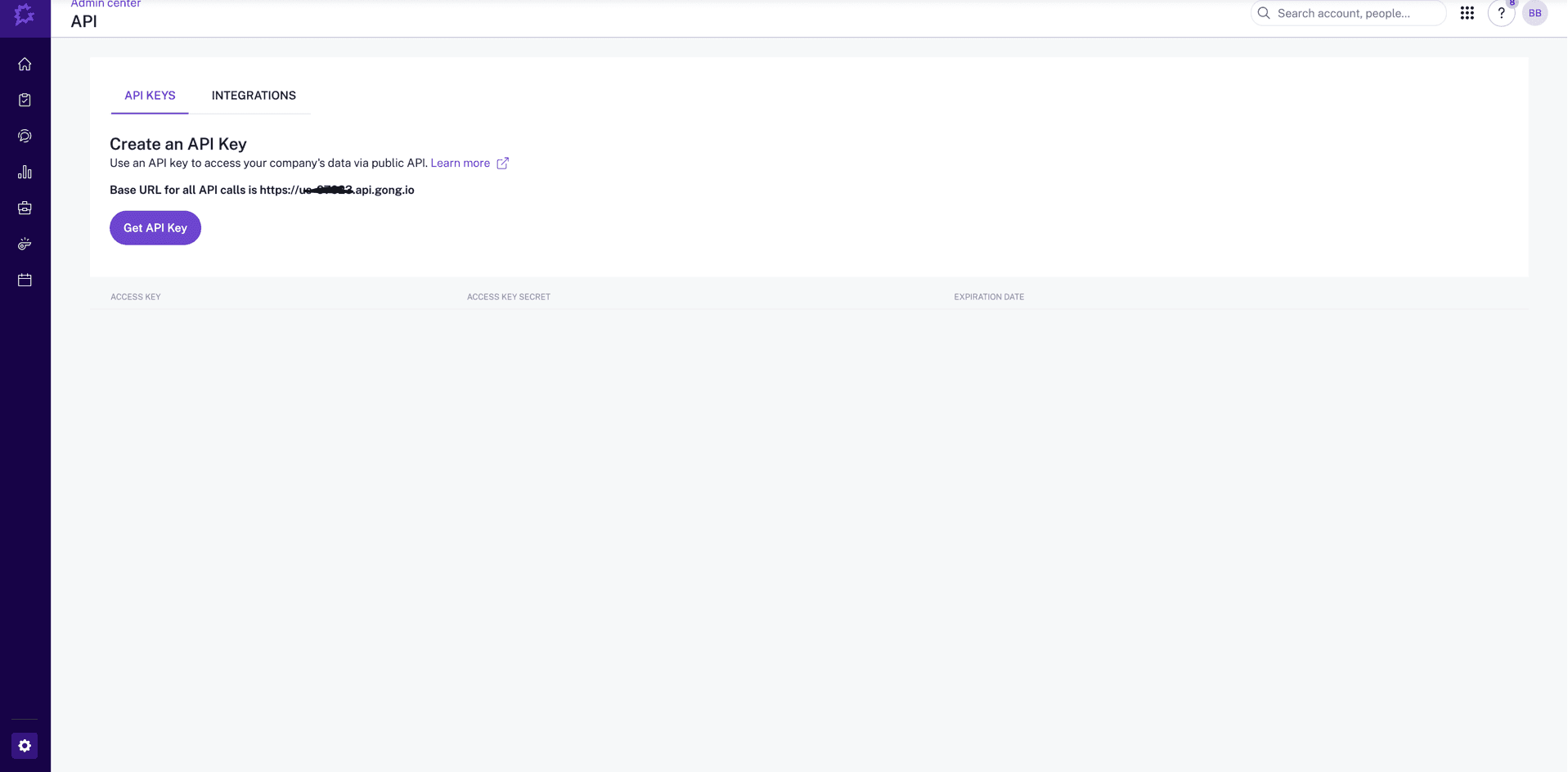
Step 1 — Create an API key in Gong
As a Gong admin, create an API key from Gong's admin settings and copy both the Access Key and Secret Key. Gong's own documentation has the current path and screens.
Important: The Secret Key is usually shown only once. Copy it immediately and store it securely.
Required permissions
Grant the key read access to calls, their transcripts, and recording media. Gong groups these under its call-read scopes; check Gong's API documentation for the current scope names, since they change with their API.
Transcript access is the one people miss. Without it the connection validates and calls appear, but no transcripts arrive — which leaves agents and roleplay with nothing to reason about.
Step 2 — Enter the keys in Taizen
- Go to Settings → Integrations in Taizen
- Find Gong and click Connect
- Paste your Access Key in the first field
- Paste your Secret Key in the second field
- Click Connect
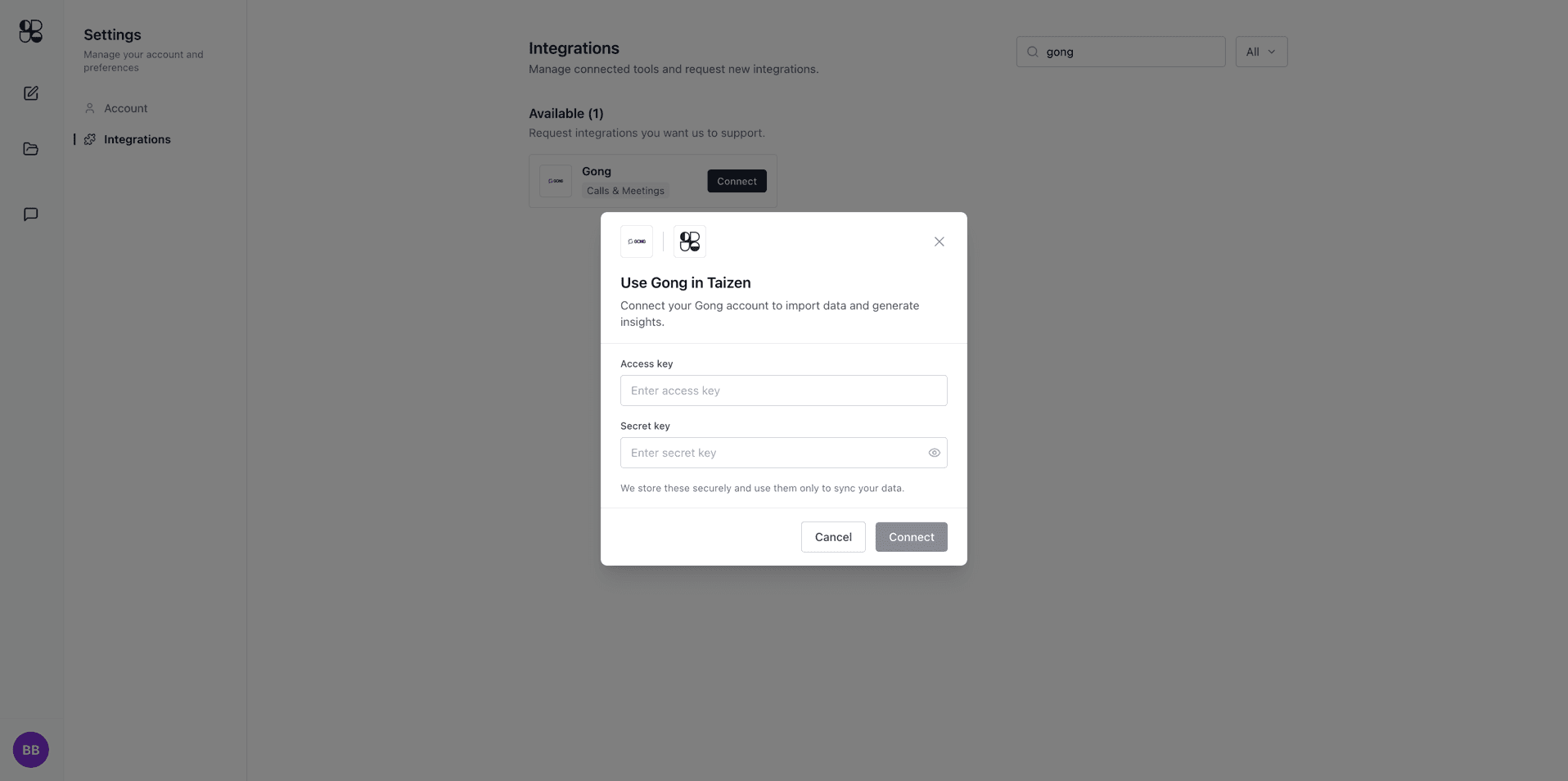
Taizen stores your API keys securely and uses them only to sync your Gong data.
Step 3 — Finish setup
Once connected, Taizen will validate the keys and begin syncing your Gong calls and transcripts. You'll see Gong appear as Connected in your Integrations list.