
MCP connections
Connect external MCP servers so agents can use tools Taizen doesn't ship.
Settings → MCPs connects Model Context Protocol servers to your workspace. Once connected, their tools are available to agents.
This is how a lot of the stack is wired, not only an escape hatch: a working workspace typically has Google Workspace (Drive, Calendar, Gmail), Slack, a CRM or two, a call source and a web-research server connected here, each showing its category and the date it was connected. It's also the extension point for internal systems Taizen doesn't integrate with directly.
Going the other way — reaching your Taizen workspace from Claude Code, Claude Desktop or Cursor — is the Taizen MCP server, not this page.
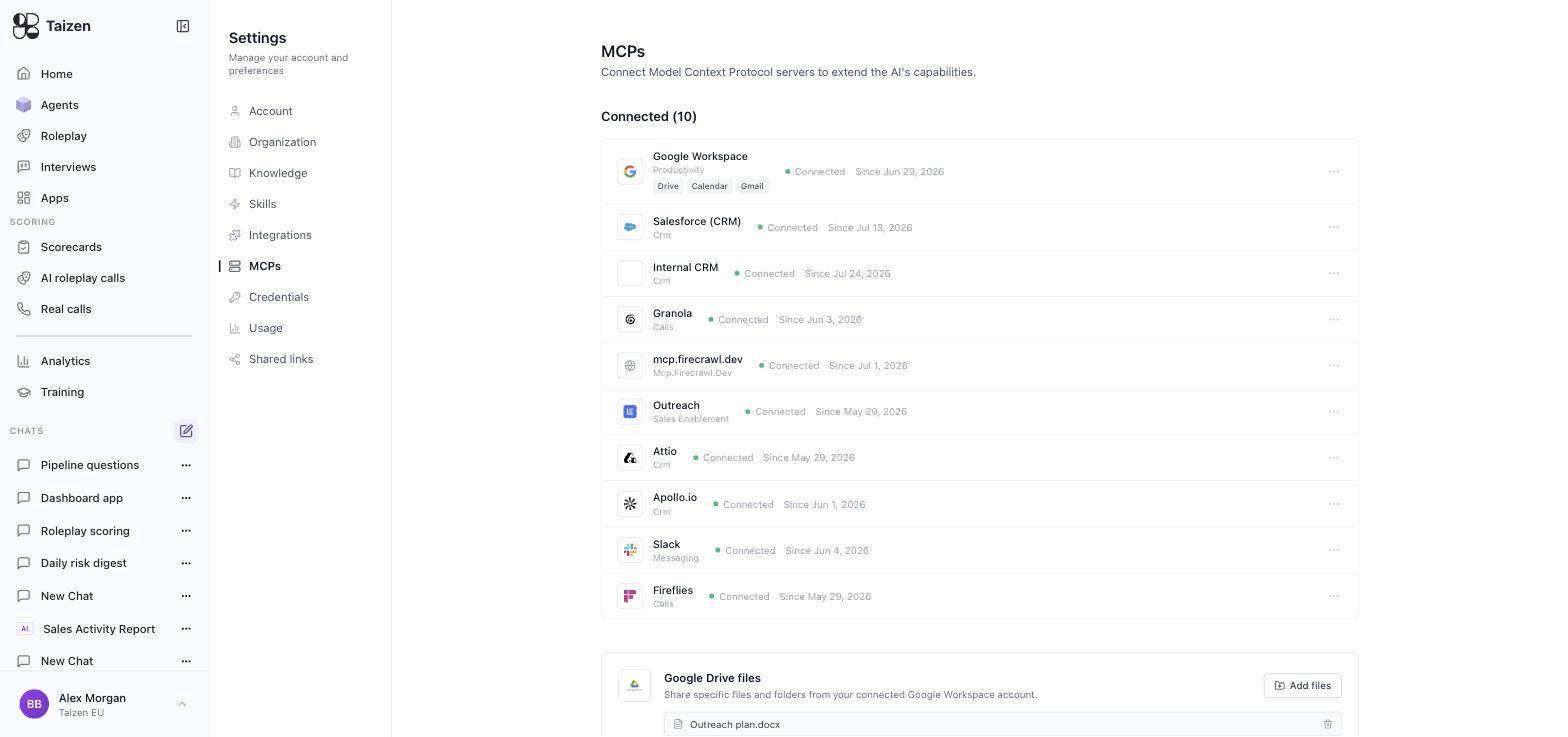
Connecting a server
- Settings → MCPs, add the server's URL
- Taizen discovers the server's OAuth endpoints. The server must support MCP OAuth 2.1
- Authorize in the popup that opens — allow popups for the Taizen site or the connection can't complete
- The server's tools become available to agents
If discovery fails
| Message | Cause |
|---|---|
| Could not discover OAuth endpoints at this URL | The server doesn't expose MCP OAuth discovery, or the URL points at the wrong path |
| Failed to reach the server | Wrong URL, or the server isn't publicly reachable from Taizen |
| Popup blocked | Allow popups for this site and retry |
A server behind your VPN with no public endpoint can't be connected this way.
Using MCP tools in an agent
Once connected, mention the capability in the agent's instructions and it can use the tool during a run — alongside your integrations, skills and web research. See skills and tools.
Runs log the steps they took, so you can see which MCP tool was called and what it returned (runs and debugging).
Governance
An MCP server is a tool your agents will actually invoke, so treat adding one as a permissions decision rather than a configuration change.
- Admin-only. Keep the ability to add servers with Admins.
- Know what the tools do. Especially anything that writes. An agent will use a write tool if its instructions imply it should.
- Prefer read-only where you can. Give an agent the ability to look things up before you give it the ability to change them.
- Review the list quarterly. Remove servers nobody uses; a connected tool is surface area.
- Watch agents that use write-capable MCP tools — run them on demand and read the steps before leaving them on a schedule (validation and review).
Troubleshooting
| Symptom | Check |
|---|---|
| Agent ignores the MCP tool | The instructions don't make it obvious the tool is relevant. Name the capability explicitly |
| Tool calls fail mid-run | The server's token expired — reconnect |
| Worked in test, fails on schedule | The server may be unreachable at that hour, or rate-limiting. Check the run's steps |