
Validation and review
How Pending validation works, and how to keep a human between an agent and your team.
An agent you build yourself goes live when you save it. Pending validation is for agents that arrive in your workspace already built — a copy a colleague sent you, or one created from a template — and it exists so that nobody else's agent starts firing in your name until you've run it once yourself.
Pending validation
An agent lands in Agents → Pending validation in two situations:
- A colleague sent you a copy. Send on an agent's detail page creates a new agent in your account with the same name, prompt and configuration. The sender keeps theirs; you own the copy.
- You created one from a template (templates).
Its row reads:
Never run — Open in the playground and complete a successful test run to activate.
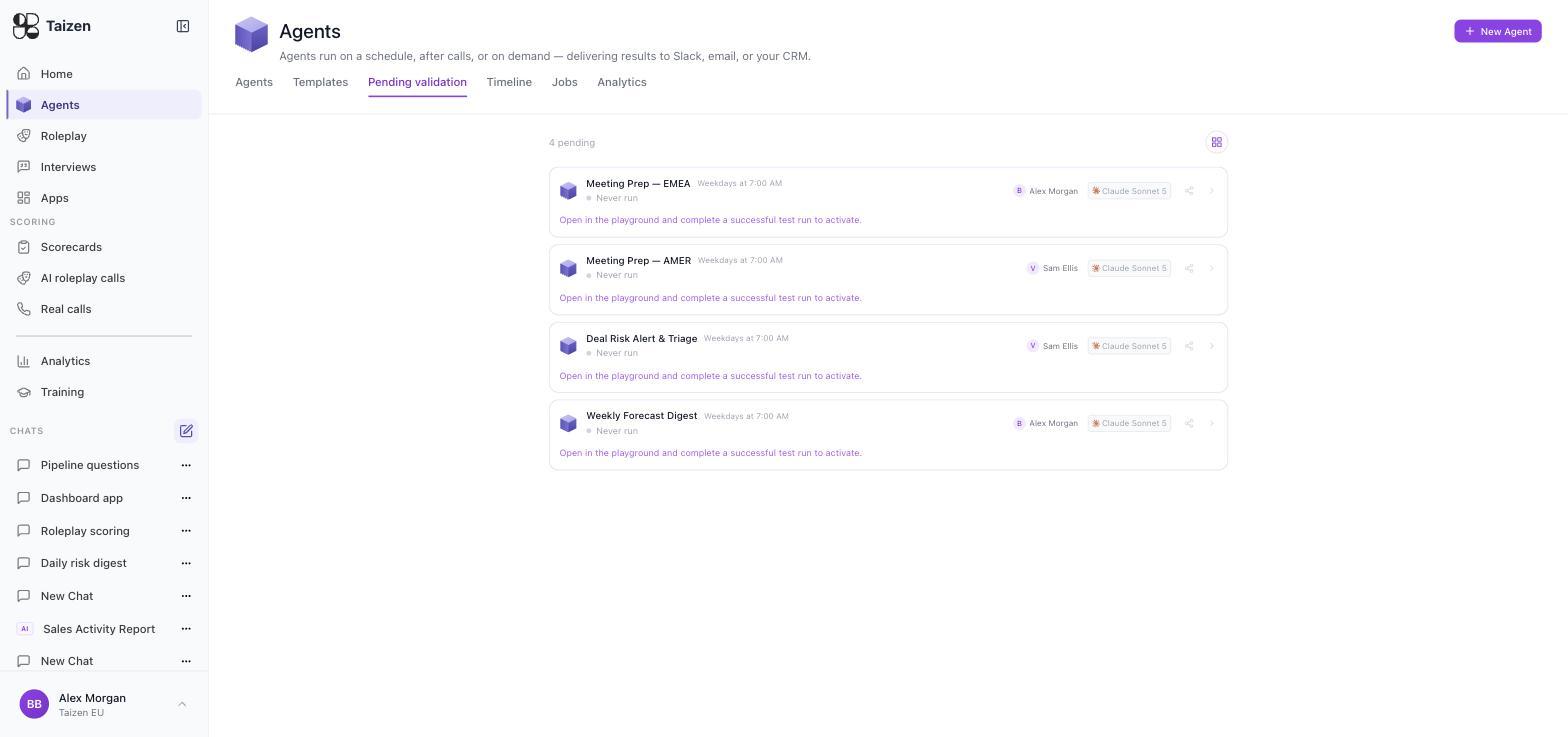
It genuinely cannot fire while it sits there: the copy's schedule and any event trigger are created inactive, so no clock and no upstream event will start it.
Validating it
Open it in the playground and run it. The builder treats a pending agent as unverified and asks for a dry run before anything else. Read the output, fix what's wrong for your team — the channel it posts to, the segment it covers — and run it again. When a run succeeds, the agent flips to Active and its triggers and pollers come alive with it.
Three rules worth knowing, because each one has surprised somebody:
- Only you can validate your copy. The colleague who sent it can't activate it on your behalf.
- Editing it doesn't activate it. You can change the prompt, the schedule, the destination — it stays pending until a run succeeds.
- You can't forward a copy you haven't validated. Send is blocked on a pending agent, so an unproven agent can't be passed down a chain.
Sending is same-organization only, and you can only send an agent you own — or any agent, if you're an Admin.
This is the platform's floor: an agent nobody has run can't run on a schedule. It's also why Pending validation is the first place to look when a colleague says they've sent you something and nothing has happened.
Test runs in the playground don't deliver anywhere — see build an agent. Iterate as many times as you need; the run history is kept so you can compare versions.
Keeping a human in the loop after that
Validation proves the agent works once. Deciding whether its output should reach people unattended is a separate judgment, and you control it with three levers.
1. The delivery destination
The most effective gate. Point a new agent at a private channel with the two or three people who care — they become the reviewers. Only when the output is consistently good do you repoint it at the channel your reps read.
Nothing forwards itself. An agent delivers exactly where its spec says, so a private channel is a real boundary, not a convention. See delivery.
2. Active vs. Disabled
Every agent has a Disable action on its detail page. A disabled agent keeps its configuration, its ownership and its whole run history — it just stops firing. That's the right move for an agent that's noisy, wrong, or waiting on a decision. Deleting throws away the history you'd want in order to understand what it did.
3. Run it yourself
Run on the agent's detail page executes it on demand. Use it to produce the output, read it in the Timeline, and then decide whether the schedule should be doing this unsupervised.
What to review closely, and for how long
Judge by blast radius, not by how clever the agent is.
| Watch closely | Why |
|---|---|
| CRM write-back | Other systems read those fields |
| Anything reaching a customer or prospect | Obvious |
| Battlecard and positioning updates | Wrong claims propagate into every rep's talk track |
| Coaching notes about a named person | Tone matters and the person can't unsee it |
| Safe to leave running early | Why |
|---|---|
| Internal digests and summaries | Readers can discount them |
| Prep briefs to the rep who owns the call | The rep is the check |
| Competitive monitoring diffs into an intel channel | Read by people whose job is to sanity-check them |
A practical cadence: read every run for the first week, spot-check weekly for a month, then trust it and watch the failures. Two questions per output — would I have sent this? and would I have sent this every time? Consistent yes to both is when an agent has earned a wider audience.
The audit trail
Every run is logged with its inputs, its steps and its output, whether or not anyone reads it at the time. When an agent gets something wrong you can see what it saw and why it concluded what it did, which usually turns the fix into a one-line change to the instructions.
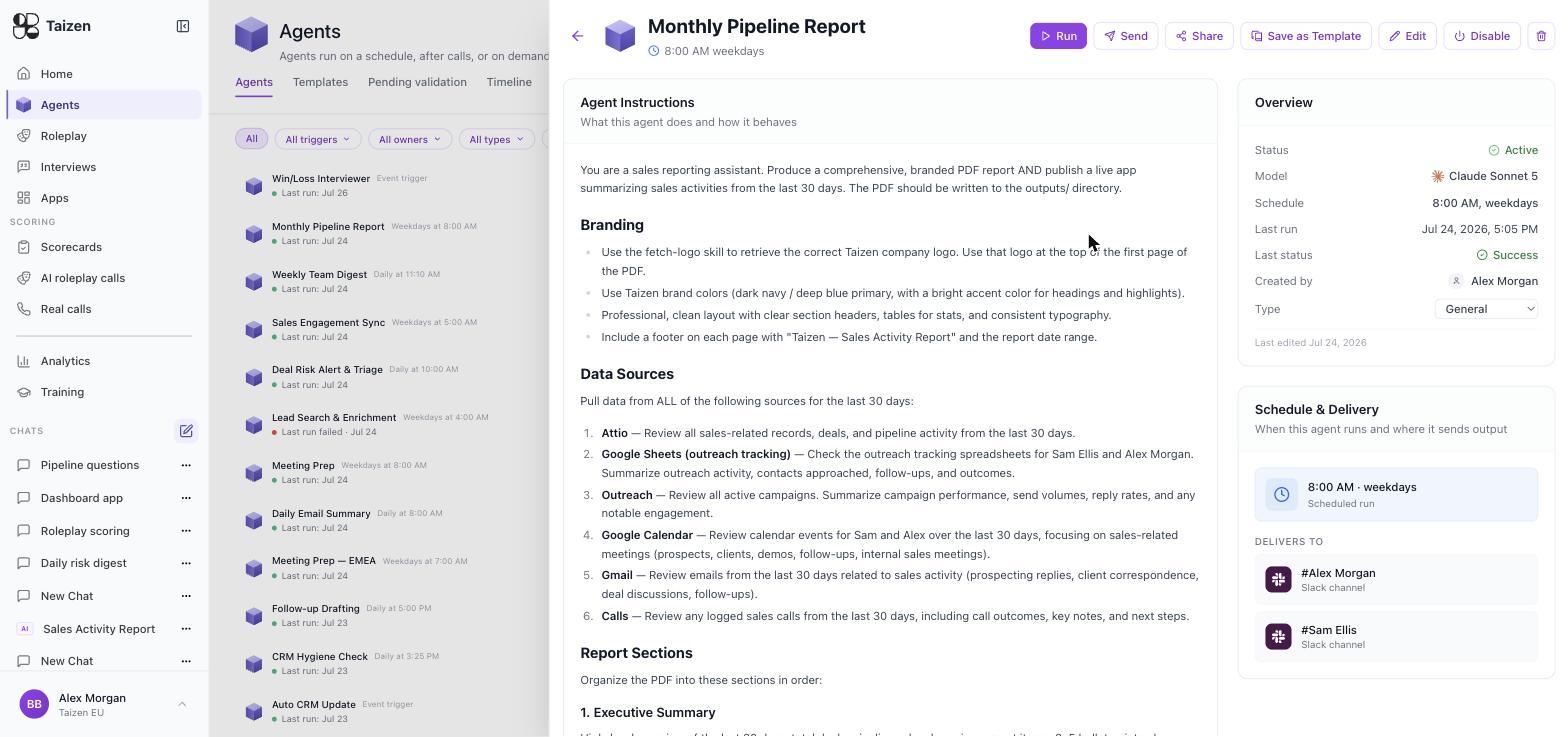
See runs and debugging.
Ownership is part of review
An agent's owner is who gets asked when the output looks wrong. An agent nobody owns is an agent nobody reviews.
Send on the detail page gives a colleague their own copy of the agent — you keep yours, they get one they own and can edit. It's the way to hand a working agent to another team or region without them rebuilding it, and without either of you editing the same thing. (To reuse a shape more widely, Save as Template instead — see templates.)