
Triggers
Schedules, event triggers, and running an agent on demand.
Every agent has exactly one trigger. It's the difference between an assistant and an agent.
Schedule triggers
A schedule trigger fires on a cron schedule. In the spec panel it renders in plain English — "Weekdays at 8:00 AM", "Daily at 11:10 AM" — and you edit it with a schedule builder rather than by writing cron by hand: pick a frequency (every day, weekdays, or custom days), set the time in UTC, check the plain-English preview, then Apply.
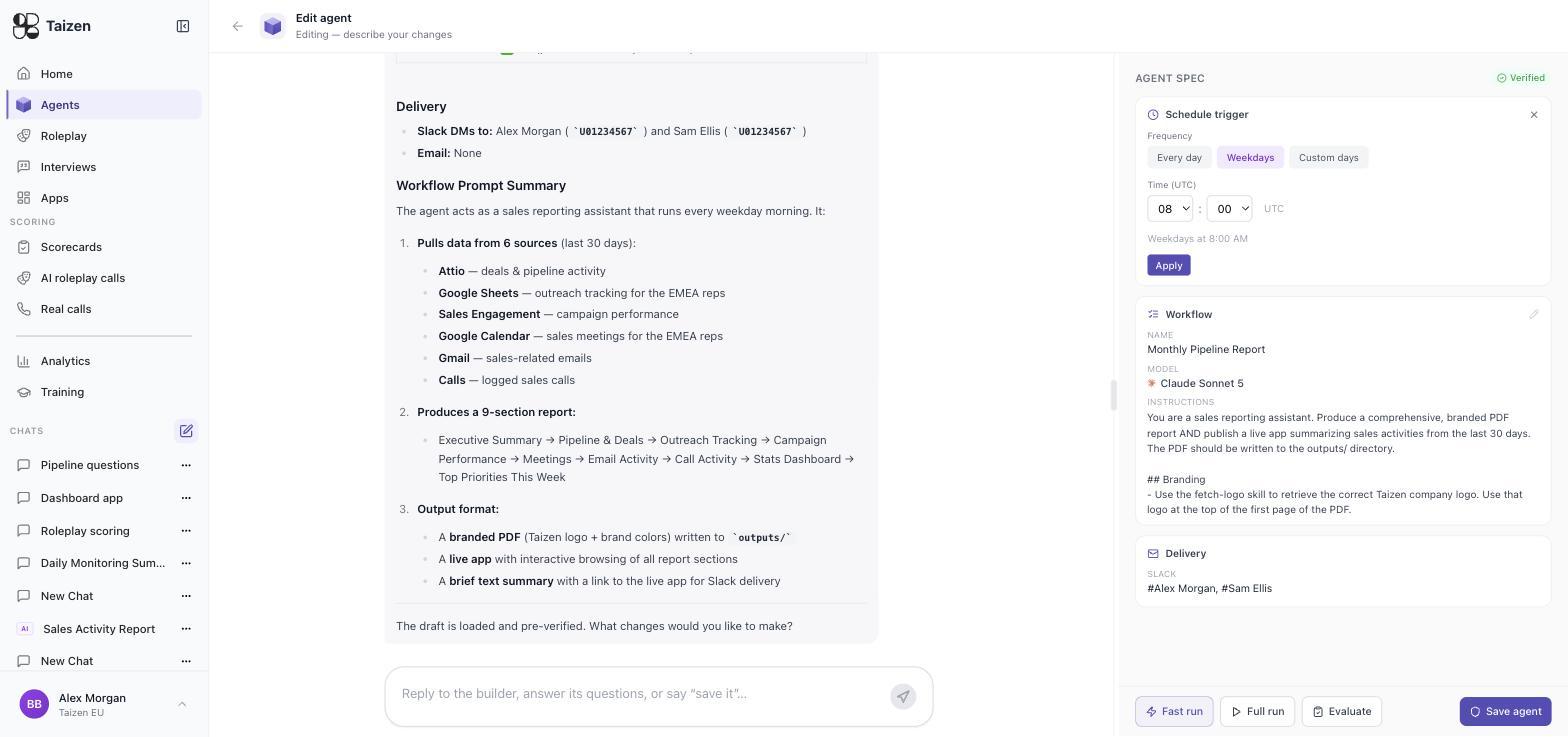
Things worth knowing:
- Pick the time relative to the recipient's day, not yours. A prep brief is useful at 7am local and useless at 11am. A daily digest is better at end of day.
- Weekdays-only is usually right. A Saturday digest of Friday's calls trains people to ignore the channel.
- Stagger your agents. Five agents all firing at 8:00 produce five notifications that arrive as one wall of noise.
The Scheduled group on the Agents tab lists everything with a schedule trigger, and each row shows the schedule and the last run.
Event triggers
An event trigger fires when something happens upstream rather than at a fixed time. In the spec panel an event trigger shows four fields:
| Field | Meaning |
|---|---|
| Service | Which connected system the event comes from |
| Tool | The specific tool or endpoint being watched |
| Mode | The dispatch mode — how the event is turned into a run |
| Watches | A plain-English description of the condition |
Typical event triggers:
- A call ends — the workhorse. Post-call CRM updates, call summaries, follow-up drafts, scoring.
- A deal changes stage or is marked lost — kicks off a win/loss interview, or a coaching note.
- A competitor's public surface changes — pricing page, messaging, job postings. Feeds the competitive intelligence agents.
- A record appears or changes in your CRM — new lead enrichment, ICP checks.
Filter to these with the Event triggers filter on the Agents tab.
Event-triggered agents can fire many times a day. Check the cost of a single run in a test run before you attach it to something high-volume like "every call".
On demand
Any agent can be run by hand from its detail page, regardless of its trigger. Use this to:
- verify a change without waiting for the next scheduled fire
- re-run after fixing a failure
- produce something one-off, when the agent already does the right thing on a different cadence
An on-demand run is a real run: it delivers, it costs credits, and it appears in the Timeline.
Choosing between a schedule and an event
Ask what the recipient needs.
- If they need it before something (a call, a day, a forecast meeting), use a schedule.
- If they need it because of something (a call ended, a deal died, a competitor moved), use an event.
Rebuilding "after every call" as "every hour, check for new calls" works, but it delays the output and burns credits on empty runs.
When a trigger doesn't fire
Check Agents → Jobs first — that's the record of what was due. Then the agent's status: an Inactive agent never fires. See runs and debugging.