
Templates
Prebuilt agents grouped by team, and how to adapt one instead of starting cold.
Templates live in two places, and they're different things.
The starter library — New Agent
Agents → New Agent opens What should your agent do?: a box to describe the agent in your own words, and underneath it a library of ready-made templates grouped by the team they serve — Sales, Sales Enablement, RevOps, PMM, Competitive Intelligence — plus a tab for your own organization's templates.
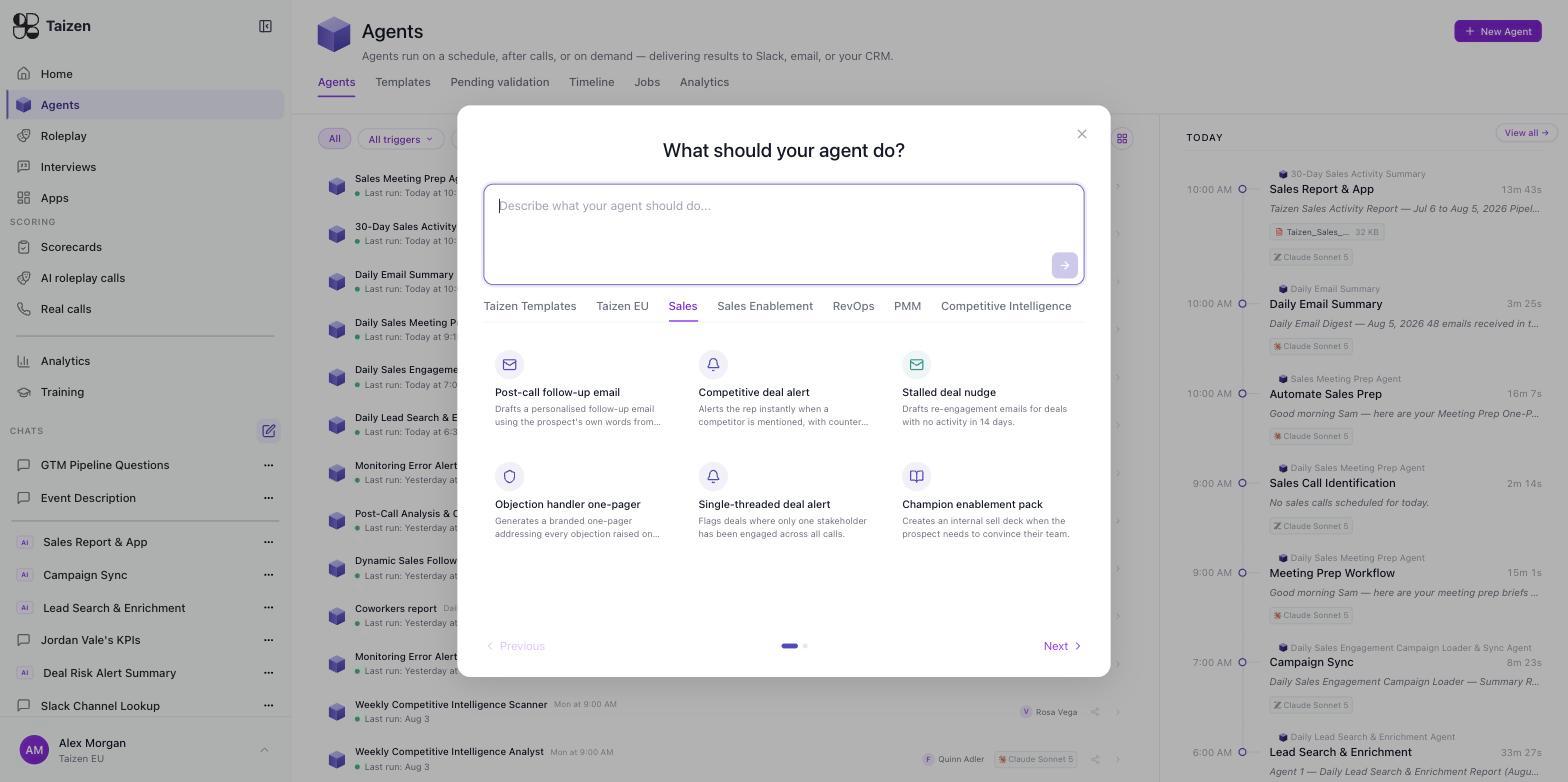
Pick a card and the builder opens with the trigger, workflow and delivery already filled in, so you're editing rather than starting from an empty prompt. Type into the box instead and you start from scratch. Either way you land in the same place.
What the library actually covers, in its own words:
Sales
- Post-call follow-up email — drafts a personalised follow-up using the prospect's own words from the call
- Competitive deal alert — alerts the rep instantly when a competitor is mentioned, with counter-positioning
- Stalled deal nudge — drafts re-engagement emails for deals with no activity in 14 days
- Objection handler one-pager — generates a branded one-pager addressing every objection raised on the call
- Single-threaded deal alert — flags deals where only one stakeholder has been engaged across all calls
- Champion enablement pack — creates an internal sell-sheet for when the prospect needs to convince their team
Sales Enablement
- Battlecard usage tracker — which battlecards reps are actually using in calls each week
- Content gap detector — finds questions reps couldn't answer, and checks whether content exists for them
- New rep onboarding brief — a personalised onboarding brief built from the team's last 20 calls
- Talk track drift detector — spots where reps deviate from approved messaging
RevOps
- CRM field extractor — pulls CRM-ready fields from each call for the rep to confirm and apply
- Pipeline risk signal — flags at-risk deals each morning from call signals and stalled progress
- Forecast sentiment checker — compares call sentiment against forecast confidence and flags mismatches
- Renewal risk detector — scans call history for accounts renewing within 90 days and rates churn risk
- Sales to CS handoff brief — hands a closed deal over with its context intact
PMM
- Messaging drift detector — compares rep language on calls against approved messaging
- Win/loss story builder — a structured win/loss narrative with direct quotes from every call
- Positioning health report — scores message adoption, objection coverage and competitive strength monthly
- Customer language extractor — verbatim prospect quotes grouped by problem type
Competitive Intelligence
- Competitor mention tracker — logs every mention and alerts on first-time sightings
- Battle loss analyser — a competitive loss timeline showing where the deal could have gone differently
- Competitive positioning gap finder — the top five competitive claims reps had no strong answer for this week
- Feature parity tracker — tracks competitor features prospects mention and flags new capabilities
Notice what they have in common: each one starts from your calls and ends in something a person acts on. That's the shape to copy when you write your own.
Your own templates — the Templates tab
Agents → Templates is a different list: the templates your workspace has saved, with filters for type and creator and an Archived toggle. Use template opens the builder pre-filled.
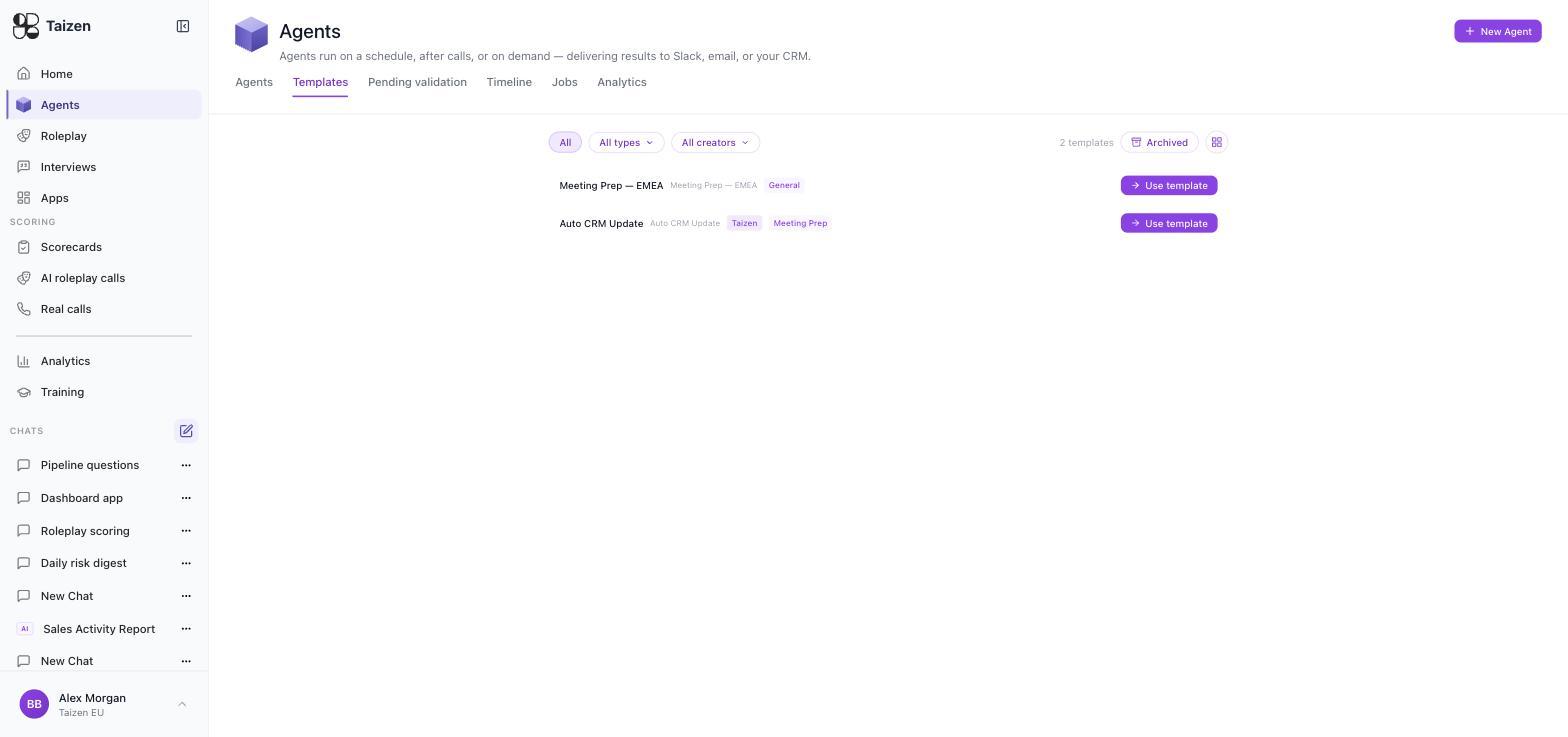
These come from your own agents. Build one, get it working, then Save as Template from its detail page — it appears here for everyone, tagged with its type. A new workspace starts with none, which is normal: the starter library above is what you use until your team has patterns of its own worth freezing.
Adapting a template
A template is a starting point, not a finished agent. Three things are always worth changing:
- Scope. Which team, which region, which segment. Templates default to everything.
- Delivery. Point it at a real channel with real people, not a default (delivery).
- Exclusions. What should this agent ignore? Internal meetings, deals below a threshold, accounts owned by another team. This is what separates output people read from output people mute.
Then test it before saving.
A template-built agent starts unvalidated
Unlike an agent you write yourself — which is Active the moment you save it — one created from a template arrives as Pending validation and won't fire until you complete a successful test run. That's deliberate: a template carries someone else's assumptions, so the platform makes you run it once against your own data first. Point its delivery at a private channel for the first week before you repoint it at the team — see validation and review.