
Skills and tools
Standing instructions, connected integrations, MCP servers, and web research.
An agent's workflow prompt says what to do this run. Everything on this page is what it can draw on across every run.
Skills
A skill is a reusable capability document — the product describes them as "capabilities that define what your agents can do." Settings → Skills lists them in three scopes:
| Scope | Who it's for |
|---|---|
| Personal | Just you. Starts empty |
| Project | One project — where a team's own skills live |
| Global | The whole organization, including the platform's own skills |
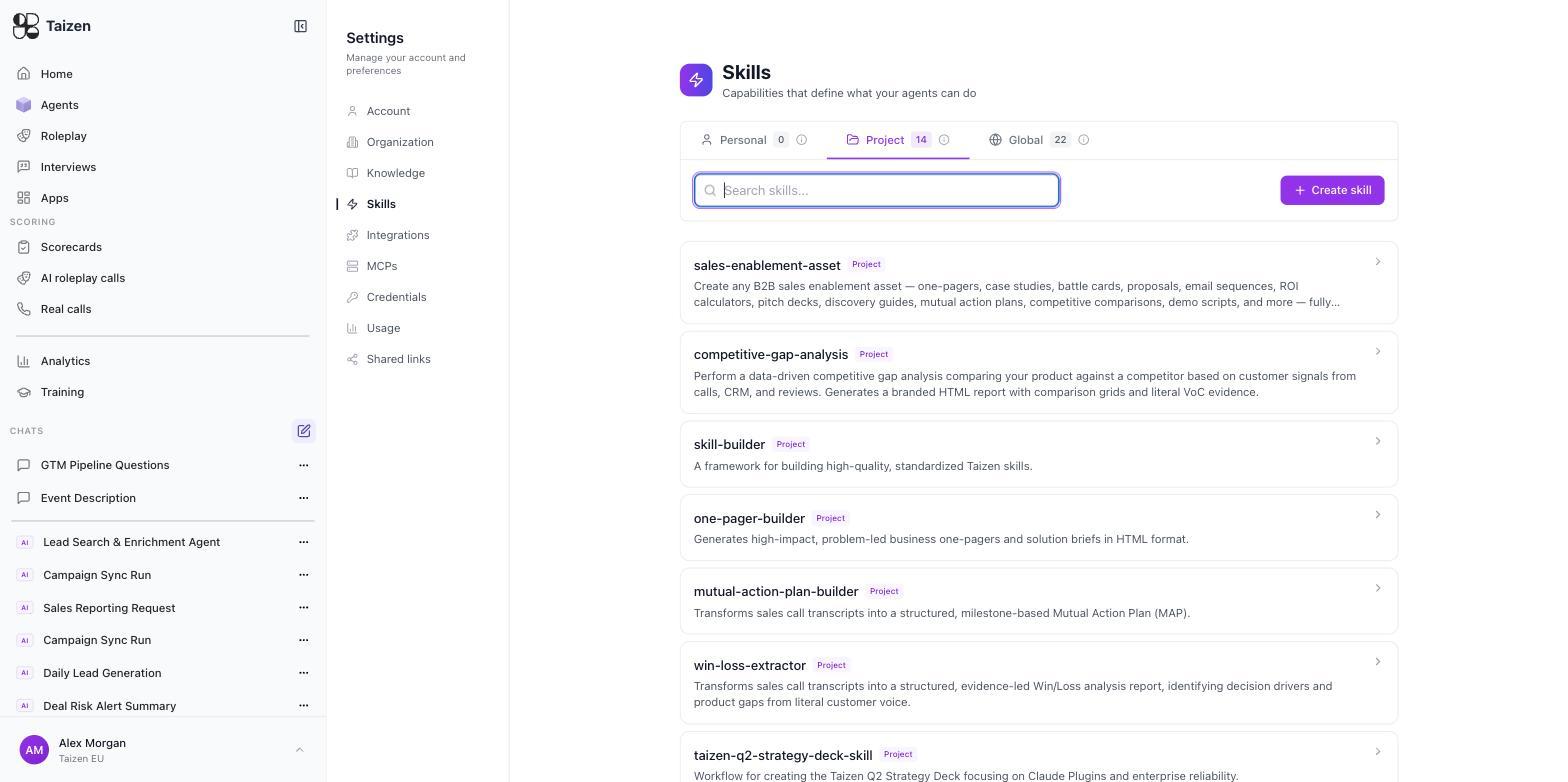
A mature workspace has a couple of dozen: platform skills for producing artifacts (create-pdf, docx, xlsx,
create-slides-html, canvas-design, image-creation), skills that enforce house rules
(call-citation-integrity, docx-hyperlink-formatter), skills that fetch context (fetch-logo,
fetch-brand-guidelines, call-email-context), and the ones your team writes — sales-enablement-asset,
competitive-gap-analysis, win-loss-extractor, mutual-action-plan-builder, one-pager-builder.
What a skill looks like inside
Open one and you get its name, a description, and a structured body:
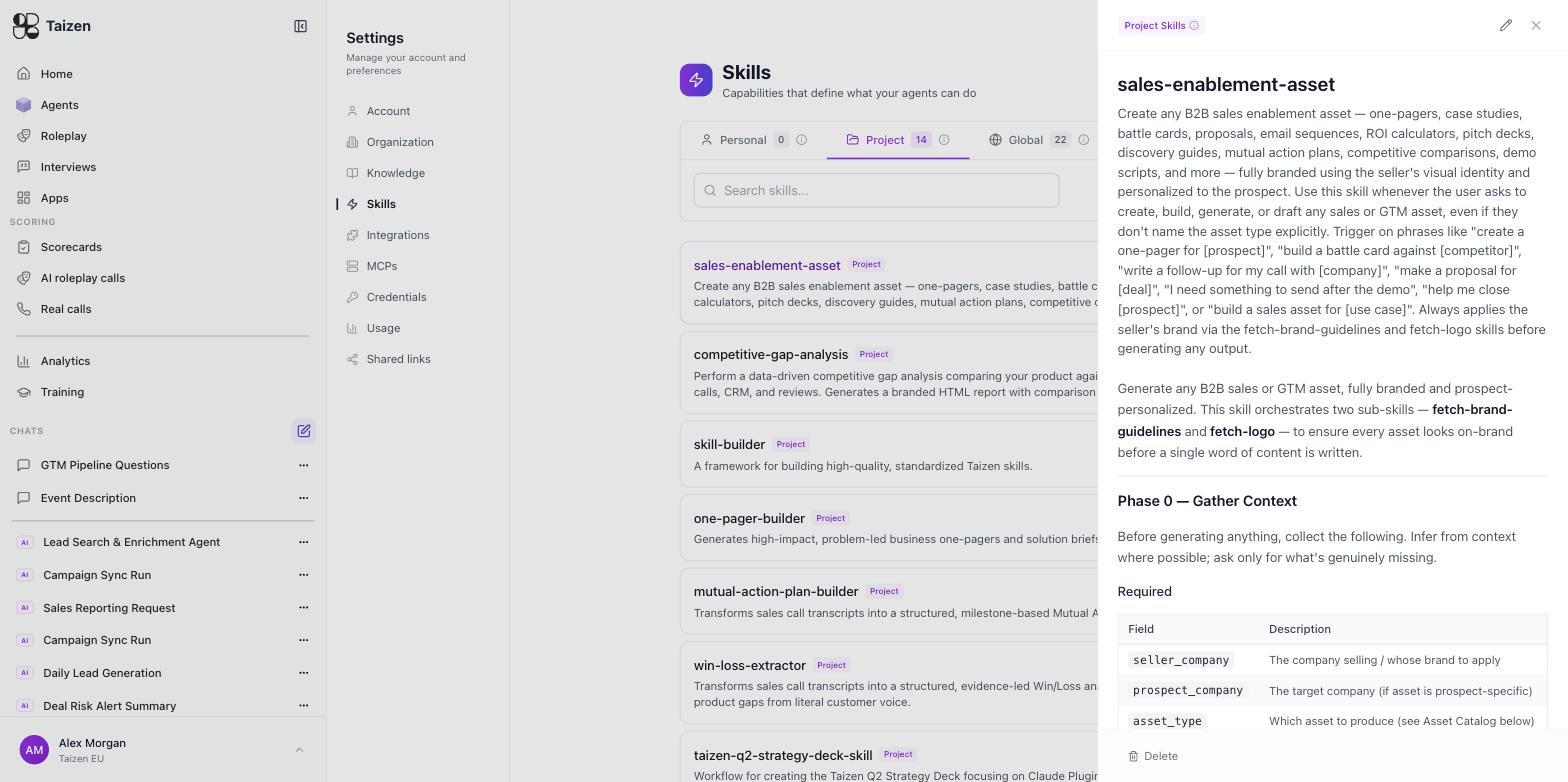
Taking sales-enablement-asset as the model, a good skill has four parts:
- A description that says when to fire. It lists the trigger phrasings explicitly — "create a one-pager for [prospect]", "build a battle card against [competitor]", "help me close [prospect]" — and even says to trigger when the user doesn't name the asset type. Recognition is most of a skill's value.
- Required inputs, declared as a table.
seller_company,prospect_company,asset_type, each with a one-line description. The skill opens with a Phase 0 — Gather Context step: infer what you can from context, ask only for what's genuinely missing. - Phases. The body is a numbered procedure, not prose. Phase 0 gathers context, later phases do the work.
- Other skills it calls. This one orchestrates
fetch-brand-guidelinesandfetch-logoso that every asset is on-brand before a single word of content is written. Skills compose.
Writing your own
- One job per skill, named the way someone would search for it — lowercase and hyphenated matches the house style.
- Spend real effort on the description's trigger phrases. A skill that never fires is worse than no skill.
- Declare your required fields and let the agent infer the rest.
- Write the body as phases with explicit exclusions.
- Reuse rather than repeat: call an existing skill for branding, citations or file output instead of restating it.
Skills vs. prompts
Put something in a skill when more than one agent needs it, or when it encodes house style that shouldn't drift — how a battlecard is structured, what a good follow-up email looks like, how you qualify a lead. Put it in the workflow prompt when it's specific to this one agent's job.
The practical benefit: fix the skill once and every agent that uses it improves.
Writing a good skill
- One task per skill. "Communication" is not a skill; "post-demo follow-up email" is.
- Say what not to do. Most bad output comes from missing exclusions, not missing instructions.
- Include a worked example if the format matters.
- Name it the way someone would search for it.
Integrations as tools
Anything connected under Settings → Integrations is available to agents, for reading and — where the scopes allow — for writing. An agent can read your Gong calls, look up a Salesforce deal, post to a Slack channel, and write a field back, in one run.
Scopes are the constraint. An integration connected read-only can't write back, and the agent will report that it couldn't rather than silently skipping. See integrations overview.
MCP servers
You can connect external MCP servers under Settings → MCPs to give agents tools Taizen doesn't ship. Connection is OAuth-based against servers that support MCP OAuth 2.1. See MCP connections.
This is the extension point when your team has an internal system worth reaching. It is also the reason to keep an eye on who can add them — an MCP server is a tool an agent will actually use.
Web research
Agents can research the public web — company news, competitor pricing pages, job postings, LinkedIn. This is what powers competitive intelligence monitoring and the company research inside a prep brief. Every run diffs against the previous one, so what lands is what changed rather than a re-listing of everything.
Which to reach for
| You want... | Use |
|---|---|
| House style, a repeatable procedure, or a file format applied consistently | a skill |
| Data from a system you already connected | an integration |
| Data or a tool from a system — vendor or internal | an MCP server |
| Something happening outside your walls | web research |