
Meetings and prep
Prep for a specific upcoming call — pick it from your calendar, build the room, get a brief.
A meeting is a roleplay set up against a real, specific conversation you're about to have, rather than general practice.
Start from the calendar
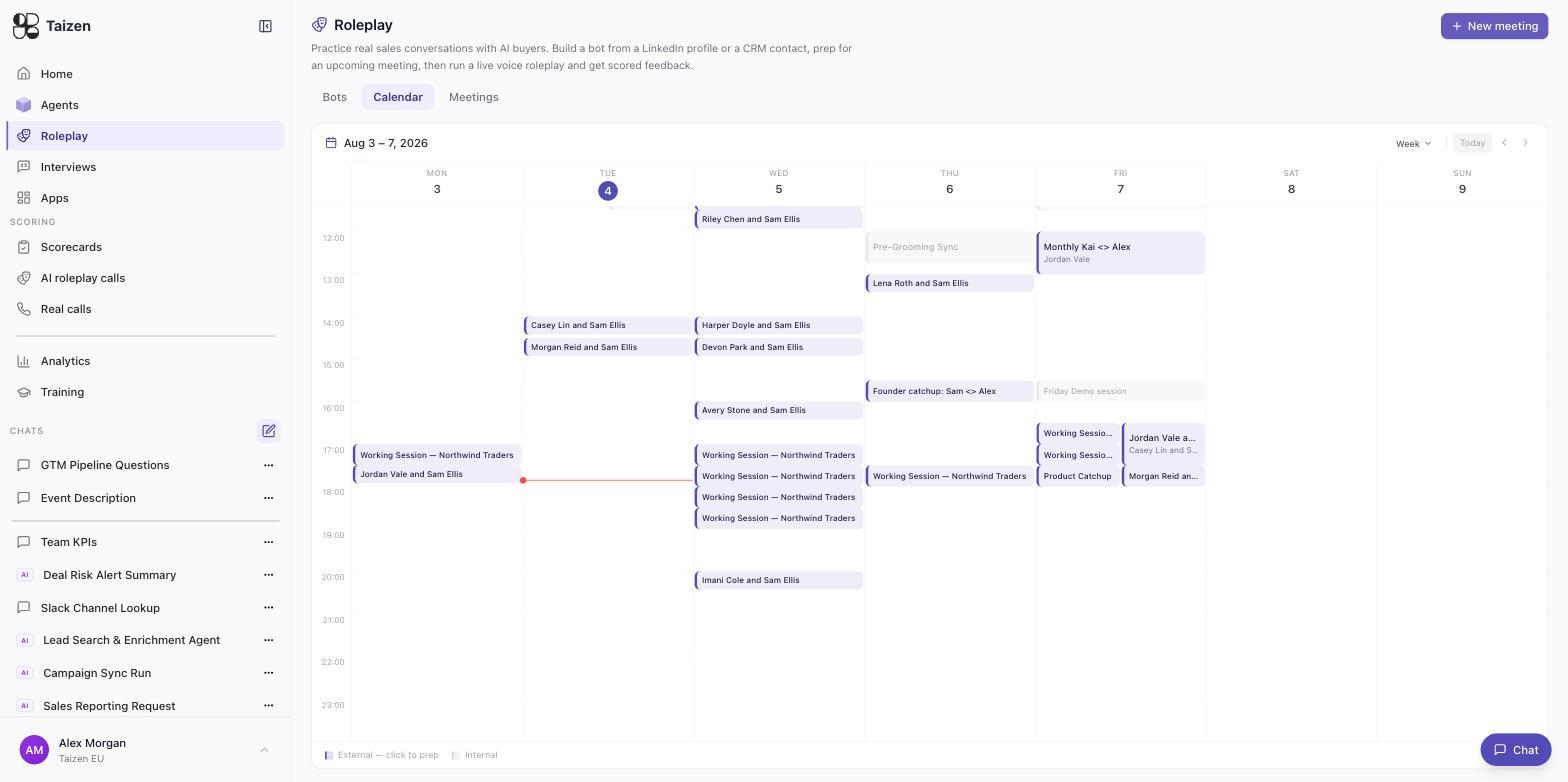
Roleplay → Calendar is your connected calendar as a week grid. External meetings are highlighted and clickable — the legend at the bottom reads External — click to prep / Internal — so the meetings worth rehearsing stand out from your standups. Click one and Taizen has what it needs to build the room: the attendees, the account, and your history with it.
Alternatively, New meeting and describe it: "demo call with the Notion revenue ops team next Tuesday, they're evaluating us against two competitors".
Building the room
The meeting setup is a chat with a prep assistant. It proposes who's in the room and you correct it. Things worth being deliberate about:
- Who is actually attending. The assistant will offer candidates from the CRM and from LinkedIn; reject the ones you can't verify. A committee of two real stakeholders is better practice than three where one is a namesake match.
- What kind of call it is. A scheduled demo where the buyer knows you is a different conversation from a cold discovery call.
- The mood. "Engaged but split" produces a different session from "sceptical".
Say save when the roster is right, and the scenario is stored under Meetings so you can run it again — before the call, and again after, to see what you'd do differently.
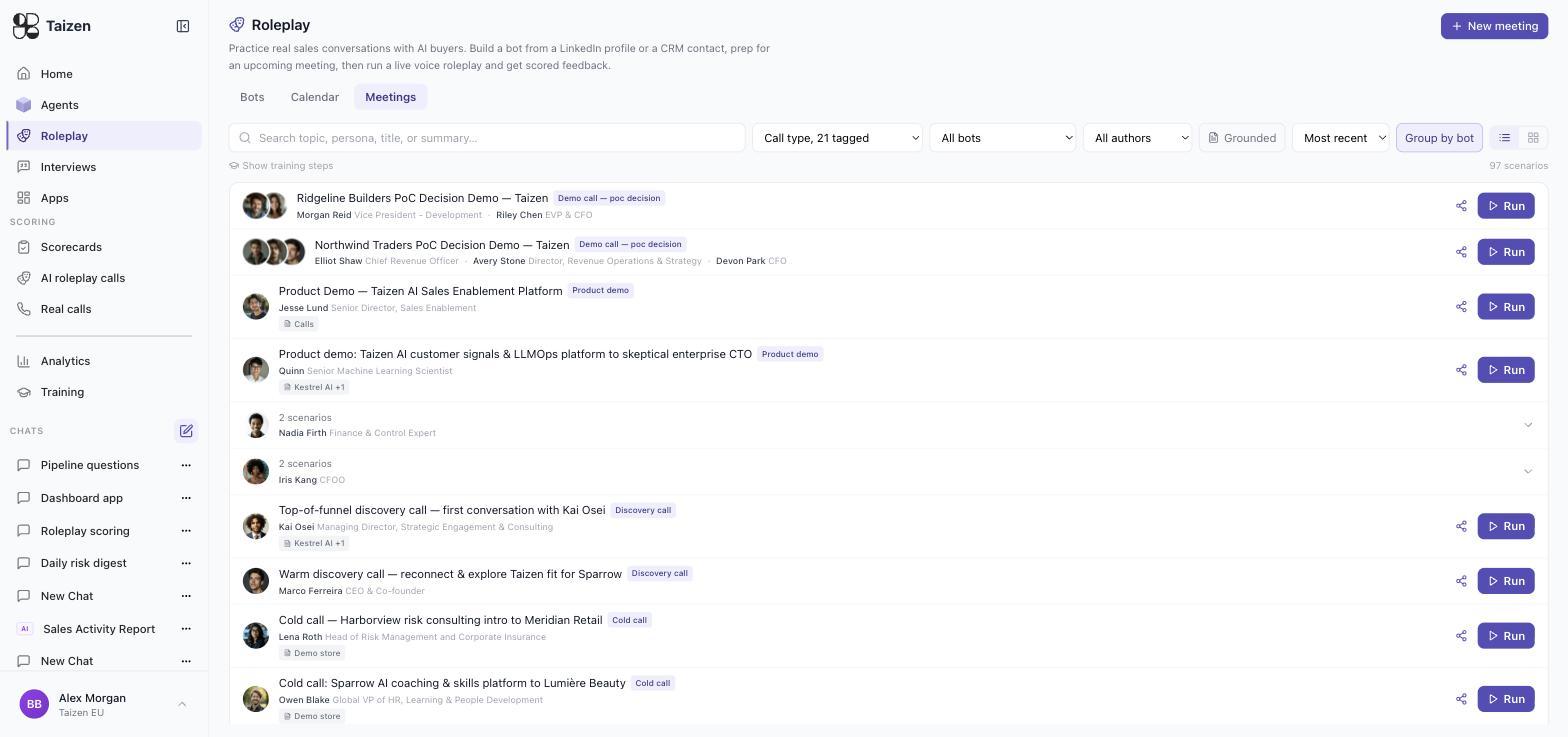
The Meetings tab is the library of saved scenarios. Each row shows its call type (discovery call, product demo, cold call, PoC decision), the stakeholders in the room with their roles, which document stores ground it, and a Run button. Filter by call type, bot or author, toggle Group by bot, and switch on Show training steps to see the ones that belong to a training plan.
The stakeholder roster
Each stakeholder in the room carries their own motivation, and they don't agree with each other. A typical two-person committee:
| Stakeholder | Role in the deal | What they push on |
|---|---|---|
| Champion (e.g. VP, Development) | Primary buyer, wants speed | Timelines, implementation risk |
| Economic buyer (e.g. EVP & CFO) | Guards budget, sceptical | ROI case, pricing, what happens if it doesn't work |
Handling both at once — without losing the champion while satisfying the CFO — is the thing to practise.
The meeting brief
Alongside the roleplay, Taizen produces a brief for the real call: who's attending and what we know about them, our history with the account, competitors in play and current objection handling, recent company news, and discovery questions specific to the deal's stage.
If you'd rather that brief arrived automatically for every external call on the calendar, that's the Meeting Prep agent — see the cookbook.
Then run it
Open the meeting and start the session: run a session.
Prep once, review once. The highest-value use of a meeting is running it the day before the call, then reading the score the morning of — not running it five times until you score well against a bot.